Wi-Fi 6 provides high speeds on paper, but in Swedish housing with load-bearing concrete and brick walls, the signal is quickly attenuated for every wall it passes through. A wired network installation guarantees low response time, full bandwidth, and a stable connection for streaming, gaming, and home offices. Here is the complete guide.
Wired or Wireless Network, the Honest Comparison
| Feature | WiFi 6 (ax) | Ethernet Cat6a |
|---|---|---|
| Max speed | 9.6 Gbit/s (theoretical) | 10 Gbit/s (guaranteed) |
| Practical speed through 2 walls | 150–400 Mbit/s | Full broadband |
| Latency (ping) | 5–50 ms | 0.5–2 ms |
| Jitter (variability) | High | Minimal |
| Susceptibility to interference | Neighbors' WiFi, microwaves | None |
| Best for | Mobiles, tablets | TV, computer, gaming, NAS, access point |
For video meetings, online gaming, 4K streaming, and home offices, the difference is noticeable every day. Wi-Fi is plenty sufficient for mobile phones and tablets.
Three Methods for Invisible Cable Installation
Method 1, Existing conduits (most common in houses built between 1960 and 2000)
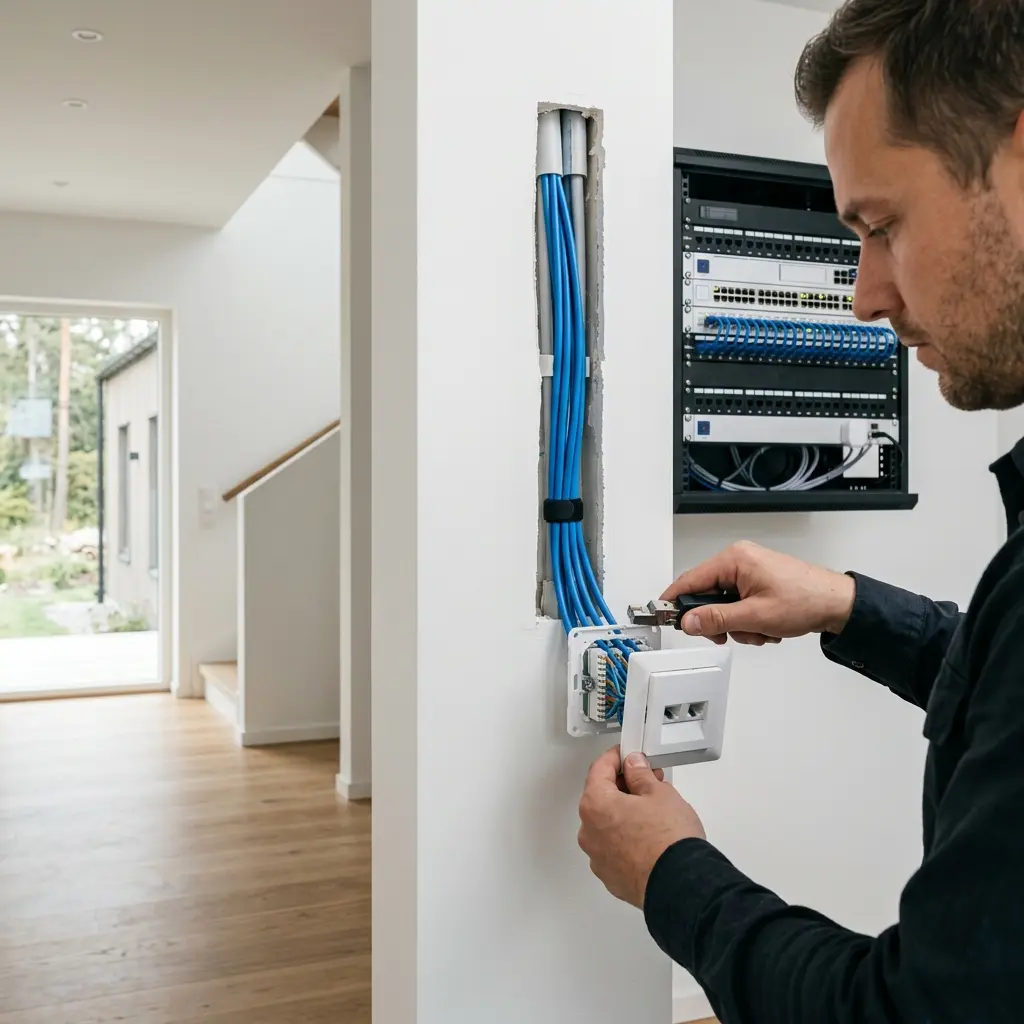
Most villas have empty conduits, i.e. plastic pipes embedded in walls and ceilings originally intended for TV antennas or telephones. The electrician pulls in a Cat6a cable and replaces the old outlet with a modern RJ45 network outlet.
- Advantages: Fast, affordable, and provides a completely invisible result.
- Disadvantages: Only works if the conduits run in the right direction and are not blocked.
Method 2, Baseboard channel
A discreet cable channel is mounted along the baseboard where the cable is protected and hidden.
- Advantages: Requires no hole drilling or wall demolition.
- Disadvantages: May be visible upon closer inspection.
- Suitable for: Apartments and renovations where empty conduits are lacking.
Method 3, Cable milling during renovation
During a major renovation, the electrician mills new conduits directly into the plaster or drywall, pulls the cable, and plasters over the surface.
- Advantages: A clean and completely invisible result.
- Disadvantages: Involves a major intervention and requires the surface layer to be redone anyway.
Which Cable Should You Choose?
| Cable Type | Speed | Shielding | Best for |
|---|---|---|---|
| Cat5e | 1 Gbit/s | Unshielded | Old installation, not recommended |
| Cat6 | 1 Gbit/s | Unshielded | Standard home use |
| Cat6a | 10 Gbit/s | Shielded (FTP) | Future-proof — recommended 2026 |
| Cat7 | 10 Gbit/s | Double shielded | Overkill for home use |
Our recommendation: Cat6a. The price difference compared to Cat6 is very small, about 3 to 5 SEK more per meter, but you get full 10 Gbit/s capacity over the entire distance and significantly better protection against interference. It is a future-proof solution for 10 years or more.
What Does It Cost to Route a Network Cable?
| Action | Price (incl. material, gross) | Price with ROT (incl. material) |
|---|---|---|
| 1 outlet via existing conduit | 4,000 to 4,500 SEK | 2,800 to 3,300 SEK |
| 1 outlet via baseboard channel (5 m) | 4,300 to 5,200 SEK | 3,100 to 4,000 SEK |
| Complete home (4 outlets and patch panel) | 9,500 to 19,000 SEK | 6,700 to 14,500 SEK |
| Wi-Fi access point ceiling mounted (Ubiquiti UniFi) | 5,300 to 8,000 SEK incl. AP | 4,100 to 6,800 SEK |
Electrical work associated with network installation qualifies for a 30% ROT deduction on labor costs.
Professional Home Network with Ceiling-Mounted Access Point
Instead of pulling cable to every single device, you can route cable to one or two Wi-Fi access points mounted on the ceiling, such as Ubiquiti UniFi U7 Pro or TP-Link Omada EAP. The result is:
- Professional Wi-Fi quality throughout the entire home without dead zones
- Automatic handoff as you move between rooms
- Central control and management via an app or web interface
- Capacity to handle over 100 connected devices without performance degradation
A ceiling-mounted access point costs around 2,000 to 4,000 SEK in materials and provides a network experience that rivals professional office solutions.
Frequently Asked Questions
Can I route the cable myself?
Signal work concerning only network cables is not regulated by the Electrical Safety Authority, so in theory you can route the data cable itself on your own. Fixed installation in walls, mounting of combined outlets, and any work in the electrical distribution panel always require a licensed electrical installer. If you want combined power and network outlets in the same location, an electrician must perform the entire job.
How long do installed network cables last?
A correctly installed Cat6a cable lasts 20 to 40 years. The copper cable itself does not age electrically. Hardware such as switches and routers can be updated over time, but the physical properties of the copper endure.
What is the difference between an access point and a Wi-Fi router?
The router handles network traffic logic, IP addresses, and the connection to the internet. An access point is a pure radio transmitter that extends the existing wireless network further without creating new separate networks.
Need help with this?
Get a free quote from our certified electricians. We usually respond within 48 hours.
Free QuoteDo you want a cabled network installed at home?
Smista Elinstallation routes network cables, installs RJ45 outlets, and sets up professional access points throughout Greater Stockholm. Contact us for a free price quote.